Kitchen Sink Example
This is a kitchen sink example of all the different components and styles available in the theme. This is meant to be used as a template for your documentation.
Asides!
Section titled “Asides!”Headings
Section titled “Headings”Heading 1
Section titled “Heading 1”Heading 2
Section titled “Heading 2”Heading 3
Section titled “Heading 3”Heading 4
Section titled “Heading 4”Heading 5
Section titled “Heading 5”Heading 6
Section titled “Heading 6”Heading 2 but super extra long to test wrapping behavior of headings in the theme.
Section titled “Heading 2 but super extra long to test wrapping behavior of headings in the theme.”Heading 3 but super extra long to test wrapping behavior of headings in the theme.
Section titled “Heading 3 but super extra long to test wrapping behavior of headings in the theme.”Heading 4 but super extra long to test wrapping behavior of headings in the theme.
Section titled “Heading 4 but super extra long to test wrapping behavior of headings in the theme.”Heading 5 but super extra long to test wrapping behavior of headings in the theme.
Section titled “Heading 5 but super extra long to test wrapping behavior of headings in the theme.”Heading 6 but super extra long to test wrapping behavior of headings in the theme.
Section titled “Heading 6 but super extra long to test wrapping behavior of headings in the theme.”Standard Content
Section titled “Standard Content”Paragraphs
Section titled “Paragraphs”Paragraphs are the most basic block of text in your content. They are used to group sentences together and provide structure to your content. Paragraphs should be used to break up your content into manageable chunks, and to provide a clear flow of information for your readers. You can have as many paragraphs as you need in your content, and they can be used to provide additional information, examples, or context for your readers.
This is an example link. Links should be used to provide additional information or context for your readers.
Text Styles
Section titled “Text Styles”This is an example of bold text to indicate strong importance or urgency. This is an example of italic text for subtle emphasis. You can also use strikethrough to indicate deleted or outdated information, but this should be used sparingly and with caution, as it can be confusing for readers if overused.
Blockquote
Section titled “Blockquote”This is a blockquote, which is commonly used when quoting another person or document. Blockquotes are indicated by a
>at the start of each line.
Details and Summary
Section titled “Details and Summary”Where and when is the Andromeda constellation most visible?
The Andromeda constellation is most visible in the night sky during the month
of November at latitudes between +90 and -40 degrees.
Unordered List
Section titled “Unordered List”- Item 1
- Sub-item 1
- Sub-item 1
- Sub-item 1
- Sub-item 2
- Sub-item 1
- Sub-item 2
- Sub-item 1
- Item 2
- Sub-item 1
- Sub-item 2
- Item 3
Ordered List
Section titled “Ordered List”- Item 1
- Sub-item 1
- Sub-item 2
- Item 2
- Item 3
Horizontal Rule
Section titled “Horizontal Rule”Tables
Section titled “Tables”| Column 1 | Column 2 | Column 3 |
|---|---|---|
| Row 1 | Row 1 | Row 1 |
| Row 2 | Row 2 | Row 2 |
| Row 3 | Row 3 | Row 3 |
Code Blocks
Section titled “Code Blocks”JS Code Block
Section titled “JS Code Block”Here’s a simple example that demonstrates adding two numbers:
function add(a, b) { return a + b;}Shell Code Block
Section titled “Shell Code Block”Here’s an example of a shell command to install the WP Engine CLI:
npm install @wpengine/cliTabbed Code Block
Section titled “Tabbed Code Block”Use tabbed code blocks to present the same example in multiple languages or contexts without repeating the surrounding explanation.
function add(a, b) { return a + b;}def add(a, b): return a + bnpm install @wpengine/cliExpressive Code Features
Section titled “Expressive Code Features”Use text markers to highlight specific lines or text in a code block:
function demo() { // This line (#2) and the next one are highlighted return 'Text markers are supported';}You can show inserts/deletes with marker types:
function demo() { console.log('These are inserted and deleted marker types'); // The return statement uses the default marker type return true;}Combine syntax highlighting with diff-like syntax:
function thisIsJavaScript() { // This entire block gets highlighted as JavaScript, // and we can still add diff markers to it! console.log('Old code to be removed'); console.log('New and shiny code!');}Add titles or disable frames when needed:
pnpm installAdd a filename tab using a file comment:
console.log('Hello World!');disable frames when needed
echo "This is not rendered as a terminal despite using bash"Inline Code
Section titled “Inline Code”You can also use inline code to highlight specific commands, functions, or other short snippets of code within a sentence or paragraph. This is useful for drawing attention to specific pieces of information without breaking the flow of the text.
File Tree
Section titled “File Tree”Directorysrc
Directorycontent
Directorydocs
Directoryatlas
- overview.mdx
- kitchen-sink.mdx
- package.json
- astro.config.mjs
Images
Section titled “Images”Use images to support instructions or provide visual context. Always write descriptive alt text so screen readers can understand the image content.
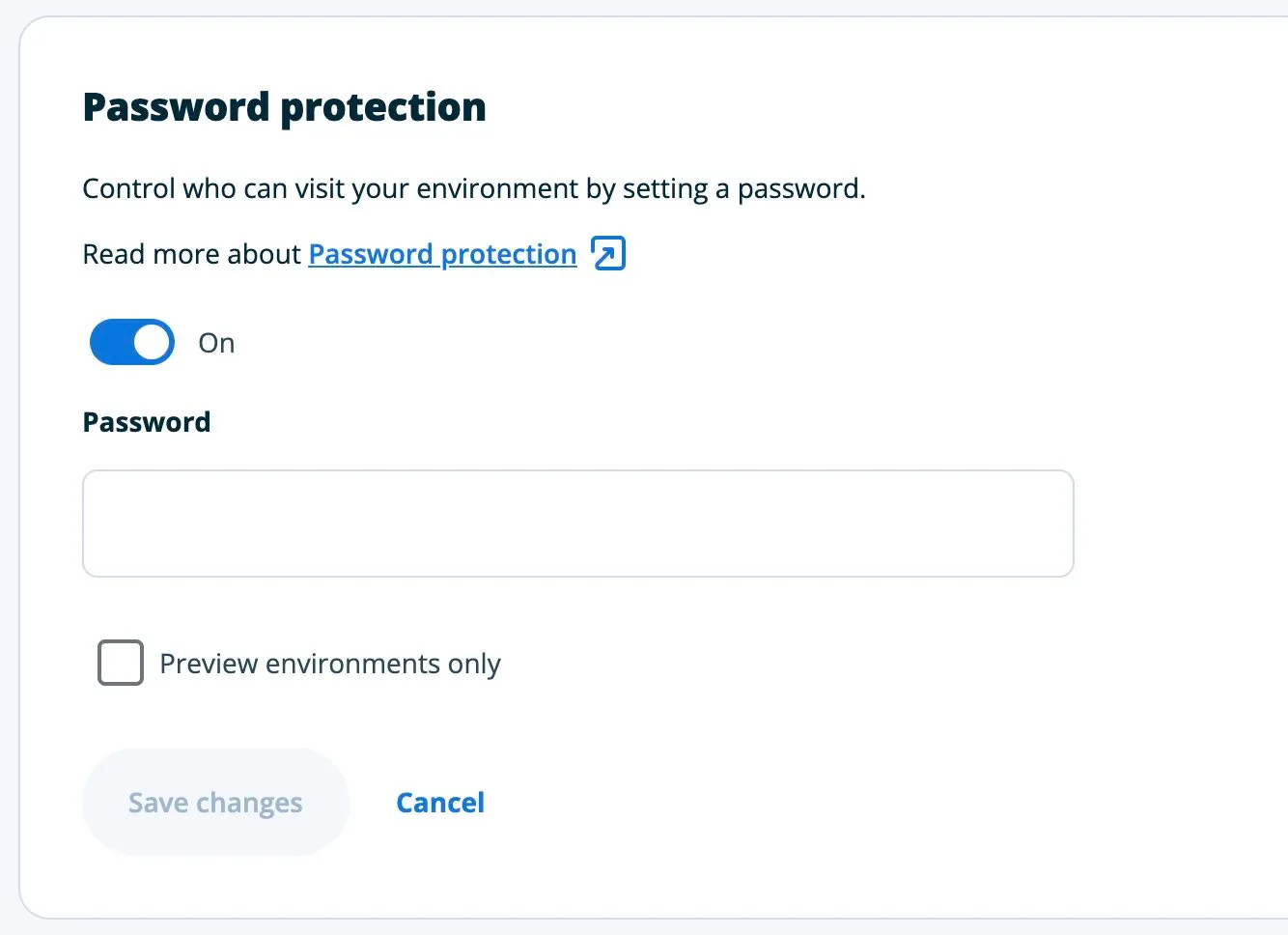
You can also make an image clickable:
Footnotes
Section titled “Footnotes”Here is a footnote reference for additional context.1
Footnotes
Section titled “Footnotes”-
This is the footnote text that appears at the bottom of the page. ↩